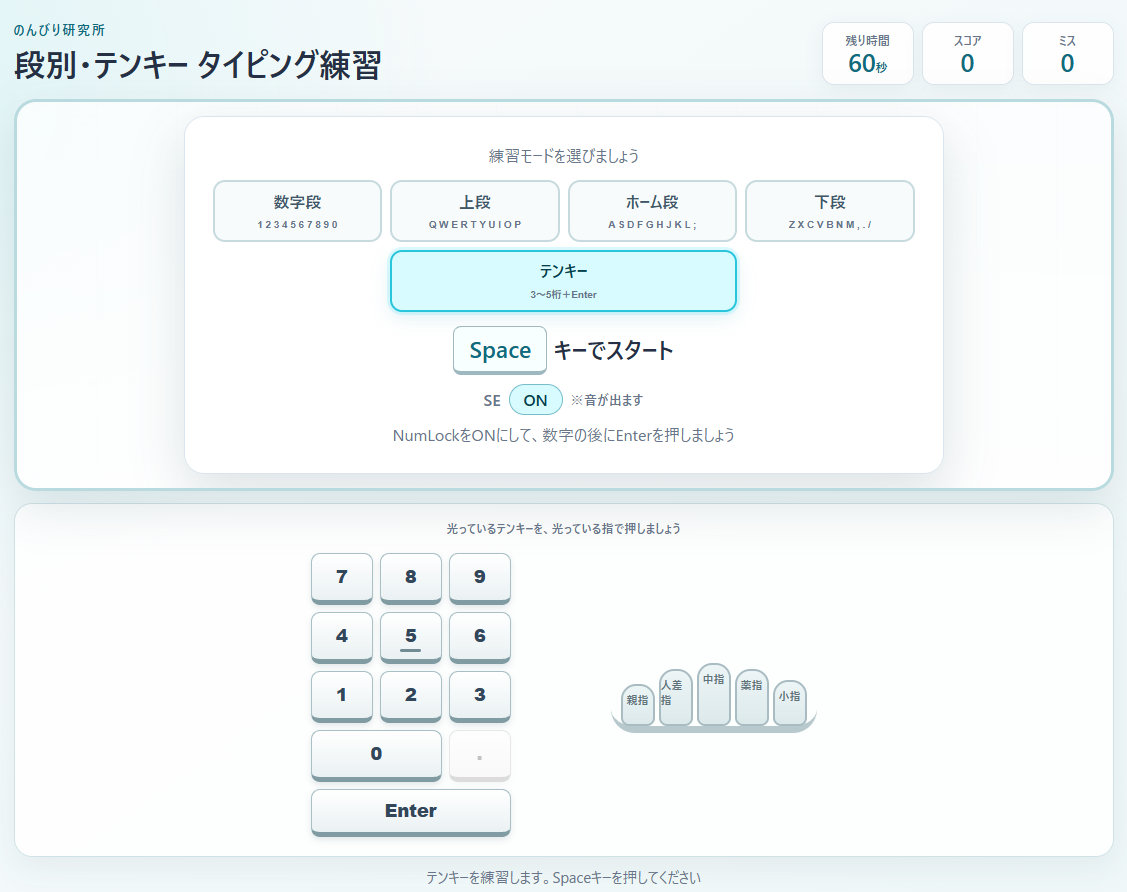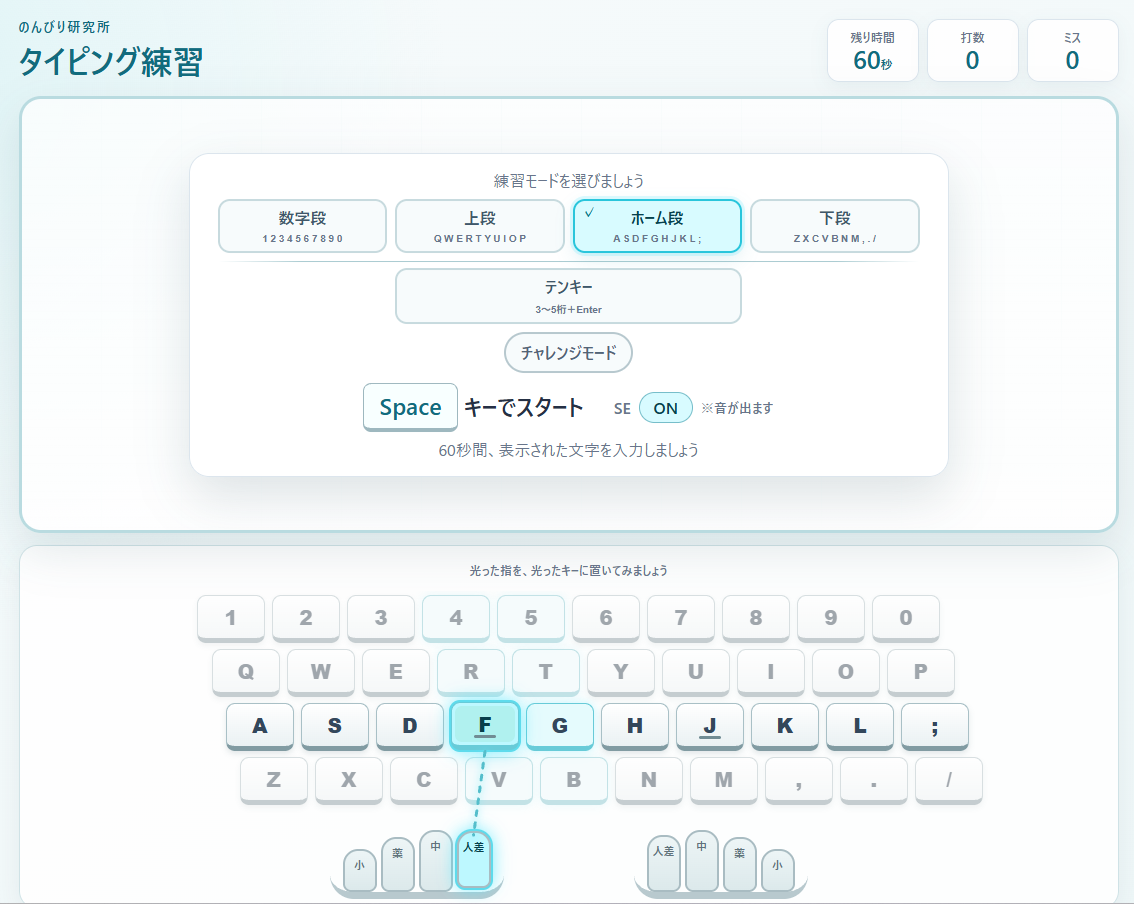
このシリーズについて
- 第1回:タイピングWebアプリ制作|ホームポジション練習編
- 第2回:タイピングWebアプリ制作|画面キーボード・指ガイド編
- 第3回:タイピングWebアプリ制作|段別練習・4段キーボード編
- 第4回:タイピングWebアプリ制作|サウンド・途中終了編
- 第5回:タイピングWebアプリ制作|数字段・テンキー練習編
- 第6回:タイピングWebアプリ制作|複数段選択・入力テンポ改善編
- 第7回:タイピングWebアプリ制作|チャレンジモード編
- 第8回:タイピングWebアプリ制作|段別計測・成績保存編
- 第9回:タイピングWebアプリ制作|成績分析・CSVバックアップ編
- 第10回:タイピングWebアプリ制作|日本語ローマ字入力・Ver.1.0完成編
前回の第5回では、数字段を正式な練習対象へ追加し、テンキー練習も作りました。
テンキーでは、数字を入力してEnterを押したあと、数字リールが動いている最中でも次の問題を入力できるようにしました。
実際に使ってみると、この「演出は見せる。でも入力は待たせない」という動きがかなり気持ちよかったので、今回は通常タイピング側にも同じ考え方を取り入れてみます。
さらに、数字段・上段・ホーム段・下段を1段ずつではなく、好きな組み合わせで複数選択して練習できるようにします。
AIと作業を分担して作ります
このシリーズでは、私が「どんな練習にしたいか」「どう動いてほしいか」を考え、HTML・CSS・JavaScriptのソースコード作成はChatGPTのノンに担当してもらっています。
私は完成したソースコードを配置して実際に動かし、使いにくいところや想定と違うところを確認して、必要ならノンと相談しながら修正します。
AIへ全部おまかせするのではなく、「何を作るか」は人が考え、「どう実装するか」はAIにも手伝ってもらう形で進めています。
今回作るもの
今回は、第5回で完成したタイピング練習へ、主に次の2つを追加します。
- 数字段・上段・ホーム段・下段を複数選択できるようにする
- 通常タイピングでも、正解後の演出を待たず次の文字をすぐ入力できるようにする
テンキーは普通の4段とは出題方法も指ガイドも違うので、今回も別モードとして扱います。
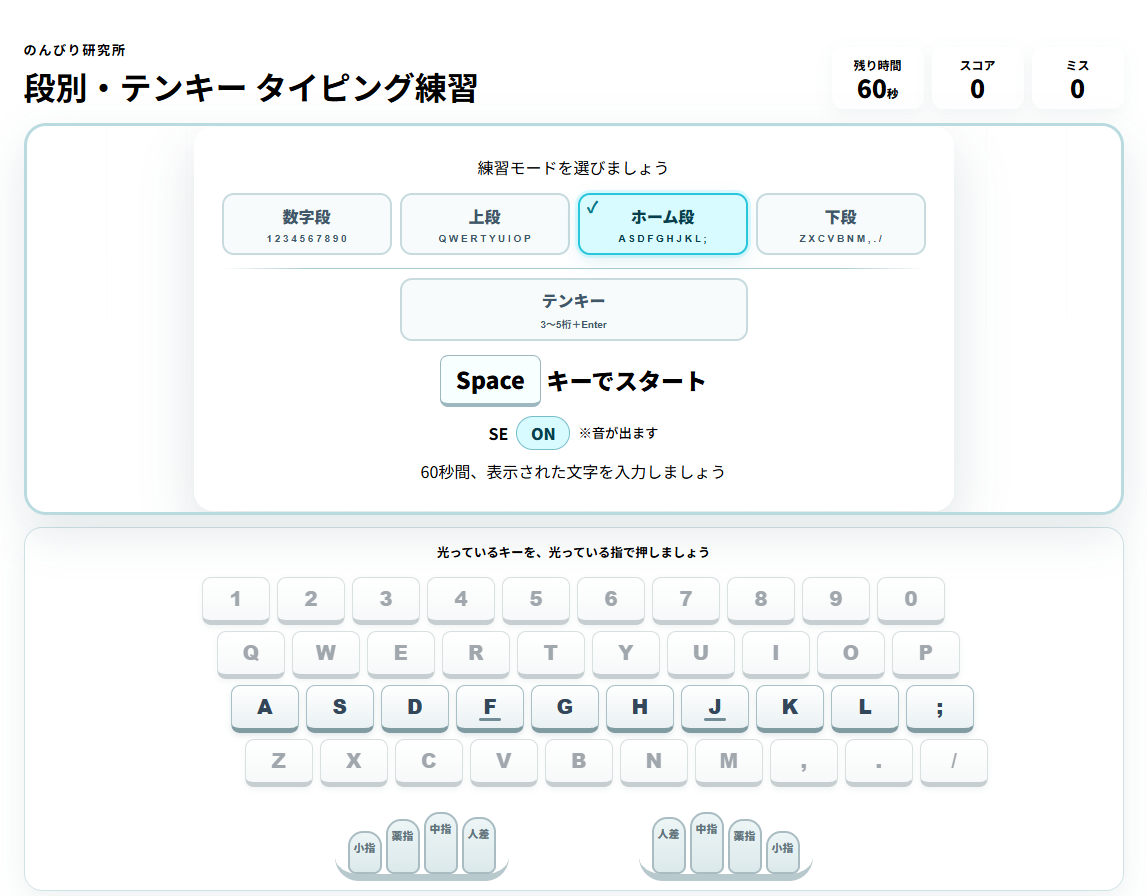
第5回から追加する機能
- 通常4段の複数選択
- 選択中カード左上へのチェックマーク
- 最後の1段を解除できない仕組み
- テンキー選択時の通常4段全解除
- 通常段とテンキーの間の区切り線
- 選択された複数段からのランダム出題
- 正解後、演出を待たず次文字を即表示
- 古い文字を演出専用コピーとして残し、レーザーと破壊演出を並行表示
第6回の中心は、「複数段を自由に組み合わせる」と「演出が入力を邪魔しない」の2つです。
ファイル構成
今回も基本のファイル構成は変わりません。
06/
├─ index.html
├─ style.css
└─ script.jsindex.htmlが画面の構造、style.cssが見た目、script.jsが選択処理・出題・入力判定・演出などの動作を担当します。
完成したソースコード
最初に今回の完成版ソースコードをまとめて掲載します。
index.html のソースコードを表示
<!doctype html>
<html lang="ja">
  <head>
    <meta charset="UTF-8" />
    <meta name="viewport" content="width=device-width, initial-scale=1.0" />
    <title>段別・テンキー タイピング練習</title>
    <link rel="stylesheet" href="style.css" />
  </head>
  <body>
    <main class="app">
      <header class="app__header">
        <div>
          <p class="app__eyebrow">のんびり研究所</p>
          <h1>段別・テンキー タイピング練習</h1>
        </div>
        <dl class="status" aria-label="練習状況">
          <div class="status__item">
            <dt>残り時間</dt>
            <dd><span id="time">60</span><small>秒</small></dd>
          </div>
          <div class="status__item">
            <dt>スコア</dt>
            <dd id="score">0</dd>
          </div>
          <div class="status__item">
            <dt>ミス</dt>
            <dd id="misses">0</dd>
          </div>
        </dl>
      </header>

      <section
        id="play-area"
        class="play-area"
        aria-label="タイピング練習エリア"
      >
        <div id="falling-key" class="falling-key" aria-live="off" hidden>A</div>
        <div id="effect-layer" class="effect-layer" aria-hidden="true"></div>
        <div id="numpad-question" class="numpad-question" hidden>
          <div class="number-reel" aria-label="テンキー入力問題">
            <div class="number-reel__frame" aria-hidden="true"></div>
            <div
              id="number-track"
              class="number-track"
              aria-live="polite"
            ></div>
          </div>
          <p class="comma-note">カンマは打ちません</p>
        </div>

        <div id="start-panel" class="panel start-panel">
          <p class="panel__label">練習モードを選びましょう</p>
          <fieldset class="mode-selector">
            <legend class="visually-hidden">練習モード</legend>
            <label class="mode-option"
              ><input
                type="checkbox"
                name="practice-mode"
                value="number"
              /><span>数字段<small>1 2 3 4 5 6 7 8 9 0</small></span></label
            >
            <label class="mode-option"
              ><input type="checkbox" name="practice-mode" value="top" /><span
                >上段<small>Q W E R T Y U I O P</small></span
              ></label
            >
            <label class="mode-option"
              ><input
                type="checkbox"
                name="practice-mode"
                value="home"
                checked
              /><span>ホーム段<small>A S D F G H J K L ;</small></span></label
            >
            <label class="mode-option"
              ><input
                type="checkbox"
                name="practice-mode"
                value="bottom"
              /><span>下段<small>Z X C V B N M , . /</small></span></label
            >
            <div class="mode-divider" aria-hidden="true"></div>
            <label class="mode-option mode-option--numpad"
              ><input
                type="checkbox"
                name="practice-mode"
                value="numpad"
              /><span>テンキー<small>3~5桁+Enter</small></span></label
            >
          </fieldset>
          <p class="panel__main"><kbd>Space</kbd> キーでスタート</p>
          <div class="sound-setting">
            <span>SE</span
            ><button
              id="sound-toggle"
              class="sound-toggle"
              type="button"
              aria-pressed="true"
            >
              ON</button
            ><small>※音が出ます</small>
          </div>
          <p id="start-description" class="panel__sub">
            60秒間、表示された文字を入力しましょう
          </p>
        </div>
        <div
          id="countdown"
          class="countdown"
          aria-live="assertive"
          hidden
        ></div>
        <div
          id="exit-panel"
          class="panel exit-panel"
          role="dialog"
          aria-modal="true"
          aria-labelledby="exit-title"
          hidden
        >
          <p class="panel__label">練習を一時停止しています</p>
          <h2 id="exit-title">練習を途中で終了しますか?</h2>
          <div class="exit-panel__buttons">
            <button
              id="exit-practice"
              class="dialog-button dialog-button--danger"
              type="button"
            >
              終了する</button
            ><button id="continue-practice" class="dialog-button" type="button">
              続ける
            </button>
          </div>
        </div>
        <div id="result-panel" class="panel result" hidden>
          <p class="panel__label">練習終了!</p>
          <h2>今回の結果</h2>
          <div class="result__scores">
            <p>スコア<strong id="final-score">0</strong></p>
            <p>ミス<strong id="final-misses">0</strong></p>
          </div>
          <p class="panel__sub">もう一度練習するときは <kbd>Space</kbd> キー</p>
          <button id="change-mode" class="change-mode" type="button">
            練習モードを変更
          </button>
        </div>
      </section>

      <section class="guide" aria-label="キーと担当指ガイド">
        <div class="guide__header">
          <p id="guide-title" class="guide__title">
            光っているキーを、光っている指で押しましょう
          </p>
          <p id="exit-hint" class="exit-hint" hidden>
            <kbd>Esc</kbd>:途中終了
          </p>
        </div>
        <div id="standard-guide">
          <div class="keyboard-viewport">
            <div
              id="screen-keyboard"
              class="screen-keyboard"
              aria-label="4段の画面キーボード"
            ></div>
          </div>
          <div id="hands" class="hands" aria-label="左右の担当指"></div>
        </div>
        <div id="numpad-guide" class="numpad-guide" hidden>
          <div
            id="screen-numpad"
            class="screen-numpad"
            aria-label="テンキー"
          ></div>
          <div
            id="numpad-hand"
            class="numpad-hand"
            aria-label="テンキーの右手担当指"
          ></div>
        </div>
      </section>
      <p id="message" class="message" aria-live="polite">
        練習モードを選び、Spaceキーを押してください
      </p>
    </main>
    <script src="script.js"></script>
  </body>
</html>
style.css のソースコードを表示
:root {
  color-scheme: light;
  --ink: #253044;
  --muted: #68758b;
  --line: #dbe5ed;
  --accent: #1c92a9;
  --accent-dark: #126b7d;
  --glow: #40e6ff;
  --back: #eef7f8;
  font-family: "Yu Gothic UI", "Hiragino Kaku Gothic ProN", Meiryo, sans-serif;
}
* {
  box-sizing: border-box;
}
body {
  min-width: 320px;
  min-height: 100vh;
  margin: 0;
  color: var(--ink);
  background:
    radial-gradient(circle at 15% 10%, #dff4f6 0, transparent 34rem),
    linear-gradient(145deg, #f8fbfc, var(--back));
}
button,
input {
  font: inherit;
}
.app {
  width: min(1100px, calc(100% - 32px));
  margin: auto;
  padding: 26px 0 20px;
}
.app__header {
  display: flex;
  align-items: flex-end;
  justify-content: space-between;
  gap: 24px;
  margin-bottom: 14px;
}
.app__eyebrow {
  margin: 0 0 4px;
  color: var(--accent-dark);
  font-size: 0.82rem;
  font-weight: 700;
  letter-spacing: 0.12em;
}
h1 {
  margin: 0;
  font-size: clamp(1.35rem, 3vw, 2rem);
}
.status {
  display: flex;
  gap: 8px;
  margin: 0;
}
.status__item {
  min-width: 92px;
  padding: 9px 14px;
  border: 1px solid var(--line);
  border-radius: 12px;
  background: #ffffffe0;
  text-align: center;
  box-shadow: 0 5px 18px #29535e0f;
}
.status dt {
  color: var(--muted);
  font-size: 0.75rem;
  font-weight: 700;
}
.status dd {
  margin: 2px 0 0;
  color: var(--accent-dark);
  font-size: 1.55rem;
  font-weight: 800;
  line-height: 1;
}
.status small {
  font-size: 0.72rem;
}
.play-area {
  position: relative;
  height: clamp(300px, 43vh, 420px);
  overflow: hidden;
  border: 3px solid #b9dbe0;
  border-radius: 22px;
  background:
    linear-gradient(#ffffffb8, #ffffffe8),
    repeating-linear-gradient(90deg, transparent 0 79px, #d9eef0 80px);
  box-shadow: 0 18px 45px #254c581f;
}
.falling-key,
.effect-key {
  position: absolute;
  z-index: 4;
  top: 0;
  left: 0;
  width: 1.25em;
  color: var(--accent-dark);
  font:
    900 clamp(4rem, 10vw, 6.5rem) / 1 Arial,
    sans-serif;
  text-align: center;
  text-shadow: 0 5px 0 #d4edf0;
  will-change: transform, opacity;
}
.effect-key.is-hit {
  animation: effect-key-hit 0.18s ease-out forwards;
}
.effect-layer {
  position: absolute;
  z-index: 3;
  inset: 0;
  pointer-events: none;
  overflow: hidden;
}
.panel {
  position: absolute;
  z-index: 8;
  top: 50%;
  left: 50%;
  width: min(760px, calc(100% - 32px));
  padding: clamp(18px, 3vw, 28px);
  border: 1px solid var(--line);
  border-radius: 20px;
  background: #fffffff5;
  text-align: center;
  box-shadow: 0 20px 50px #254c5826;
  transform: translate(-50%, -50%);
}
.panel__label,
.panel__sub {
  margin: 0;
  color: var(--muted);
}
.panel__main {
  margin: 14px 0 9px;
  font-size: clamp(1.1rem, 3vw, 1.45rem);
  font-weight: 800;
}
kbd {
  display: inline-block;
  padding: 0.28em 0.65em;
  border: 1px solid #9eb8bf;
  border-bottom-width: 4px;
  border-radius: 8px;
  color: var(--accent-dark);
  background: #f8ffff;
  font: inherit;
}
.mode-selector {
  display: grid;
  grid-template-columns: repeat(4, 1fr);
  gap: 8px;
  margin: 14px 0 0;
  padding: 0;
  border: 0;
}
.mode-option {
  cursor: pointer;
}
.mode-option--numpad {
  grid-column: 2/4;
}
.mode-option input {
  position: absolute;
  opacity: 0;
  pointer-events: none;
}
.mode-option span {
  position: relative;
  display: grid;
  place-items: center;
  min-height: 62px;
  padding: 8px 5px;
  border: 2px solid #c7dade;
  border-radius: 12px;
  color: #40576a;
  background: #f7fbfc;
  font-weight: 800;
  transition: 0.15s;
}
.mode-option small {
  display: block;
  margin-top: 4px;
  color: var(--muted);
  font:
    600 0.62rem Arial,
    sans-serif;
}
.mode-option input:checked + span {
  color: #07404c;
  border-color: #29c5db;
  background: #d8fbff;
  box-shadow:
    0 0 0 3px #40e6ff2e,
    0 7px 18px #1c92a91f;
}
.mode-option input:checked + span::before {
  content: "✓";
  position: absolute;
  top: 3px;
  left: 7px;
  color: #08798d;
  font-size: 1rem;
  line-height: 1;
}
.mode-divider {
  grid-column: 1/-1;
  height: 1px;
  margin: 5px 0 1px;
  background: linear-gradient(
    90deg,
    transparent,
    #aacbd1 12%,
    #aacbd1 88%,
    transparent
  );
}
.sound-setting {
  display: flex;
  align-items: center;
  justify-content: center;
  gap: 8px;
  margin: 0 0 9px;
  color: var(--muted);
  font-weight: 700;
}
.sound-setting small {
  font-weight: 500;
}
.sound-toggle {
  min-width: 54px;
  padding: 4px 10px;
  border: 1px solid #75bdc9;
  border-radius: 99px;
  color: #07404c;
  background: #d8fbff;
  font-weight: 800;
  cursor: pointer;
}
.sound-toggle[aria-pressed="false"] {
  color: #68758b;
  border-color: #becbd0;
  background: #edf1f2;
}
.countdown {
  position: absolute;
  z-index: 9;
  inset: 0;
  display: grid;
  place-items: center;
  color: var(--accent-dark);
  background: #ffffffd6;
  font:
    900 clamp(6rem, 22vw, 13rem) / 1 Arial,
    sans-serif;
  text-shadow: 0 8px 0 #d4edf0;
}
.exit-panel h2,
.result h2 {
  margin: 8px 0 20px;
}
.exit-panel__buttons,
.result__scores {
  display: flex;
  justify-content: center;
  gap: 10px;
}
.dialog-button,
.change-mode {
  padding: 10px 18px;
  border: 1px solid #9eb8bf;
  border-radius: 99px;
  color: var(--accent-dark);
  background: #f6fcfd;
  font-weight: 800;
  cursor: pointer;
}
.dialog-button--danger {
  color: #9b2833;
  border-color: #dfaab0;
  background: #fff1f2;
}
.result__scores {
  margin-bottom: 18px;
}
.result__scores p {
  min-width: 130px;
  margin: 0;
  padding: 14px;
  border-radius: 12px;
  color: var(--muted);
  background: #edf8f9;
  font-size: 0.82rem;
  font-weight: 700;
}
.result__scores strong {
  display: block;
  margin-top: 4px;
  color: var(--accent-dark);
  font-size: 2.2rem;
}
.change-mode {
  margin-top: 15px;
}
.guide {
  margin-top: 12px;
  padding: 12px 14px 9px;
  border: 1px solid #cfe2e6;
  border-radius: 18px;
  background: #ffffffe0;
  box-shadow: 0 10px 30px #254c5814;
}
.guide__header {
  position: relative;
  display: flex;
  align-items: center;
  justify-content: center;
  min-height: 24px;
  margin-bottom: 9px;
}
.guide__title {
  margin: 0;
  color: var(--muted);
  font-size: 0.78rem;
  font-weight: 700;
}
.exit-hint {
  position: absolute;
  right: 0;
  margin: 0;
  color: var(--muted);
  font-size: 0.78rem;
}
.exit-hint kbd {
  padding: 0.12em 0.45em;
  border-bottom-width: 2px;
}
.keyboard-viewport {
  overflow-x: auto;
  padding: 4px 3px 7px;
}
.screen-keyboard {
  --key-width: clamp(43px, 6.3vw, 68px);
  width: calc(var(--key-width) * 10 + 63px);
  min-width: 493px;
  margin: auto;
}
.keyboard-row {
  display: grid;
  grid-template-columns: repeat(10, var(--key-width));
  gap: 7px;
  width: max-content;
  margin-bottom: 6px;
  transition: 0.18s;
}
.keyboard-row[data-row="top"] {
  margin-left: 15px;
}
.keyboard-row[data-row="home"] {
  margin-left: 29px;
}
.keyboard-row[data-row="bottom"] {
  margin-left: 43px;
}
.keyboard-row.is-inactive-row {
  opacity: 0.48;
  filter: saturate(0.65);
}
.keycap,
.numpad-key {
  position: relative;
  min-width: 0;
  min-height: 48px;
  padding: 0;
  border: 1px solid #a9c0c6;
  border-bottom: 5px solid #819ba2;
  border-radius: 9px;
  color: #33475b;
  background: linear-gradient(#fff, #eaf1f3);
  font:
    800 clamp(0.95rem, 2vw, 1.28rem) / 1 Arial,
    sans-serif;
  box-shadow: 0 3px 6px #254c581f;
  transition: 0.08s;
}
.keycap:before,
.numpad-key:before {
  content: "";
  position: absolute;
  inset: 3px;
  z-index: -1;
  border-radius: 7px;
  opacity: 0.28;
}
.keycap[data-zone*="little"]:before,
.numpad-key[data-finger="little"]:before {
  background: #f6acc1;
}
.keycap[data-zone*="ring"]:before,
.numpad-key[data-finger="ring"]:before {
  background: #efc57f;
}
.keycap[data-zone*="middle"]:before,
.numpad-key[data-finger="middle"]:before {
  background: #d9dc75;
}
.keycap[data-zone*="index"]:before,
.numpad-key[data-finger="index"]:before {
  background: #8edcc4;
}
.numpad-key[data-finger="thumb"]:before {
  background: #b6c8ef;
}
.keycap[data-bump="true"]:after,
.numpad-key[data-bump="true"]:after {
  content: "";
  position: absolute;
  left: 33%;
  right: 33%;
  bottom: 7px;
  height: 3px;
  border-radius: 2px;
  background: #718c94;
}
.is-zone-target {
  opacity: 1 !important;
  border-color: #68cbd8 !important;
  background: #e5fbfd !important;
  box-shadow: 0 0 10px #40e6ff4d !important;
}
.is-target {
  z-index: 2;
  color: #073e4b !important;
  background: #bdf8ff !important;
  box-shadow:
    0 0 0 2px #5edbec,
    0 0 18px #40e6ffd9 !important;
  transform: translateY(-1px);
}
.is-correct {
  color: #fff !important;
  background: #23cde6 !important;
  transform: translateY(2px) scale(0.98);
  box-shadow:
    0 0 0 3px #fff,
    0 0 30px var(--glow) !important;
}
.is-wrong {
  z-index: 3;
  color: #fff !important;
  background: #ef5360 !important;
  border-color: #b32635 !important;
  box-shadow: 0 0 18px #ef3243d9 !important;
  animation: wrong-shake 0.24s linear;
}
.hands {
  display: flex;
  justify-content: center;
  gap: clamp(34px, 11vw, 130px);
  margin: 7px auto 0;
}
.hand {
  display: flex;
  align-items: flex-end;
  gap: 4px;
  padding: 5px 13px 0;
  border-bottom: 7px solid #b8c9ce;
  border-radius: 0 0 24px 24px;
}
.finger,
.numpad-finger {
  display: grid;
  place-items: start center;
  width: clamp(22px, 4vw, 34px);
  height: var(--finger-height);
  padding-top: 6px;
  border: 2px solid #a9bcc2;
  border-radius: 15px 15px 8px 8px;
  color: #60727a;
  background: linear-gradient(#edf5f6, #dce9eb);
  font-size: clamp(0.56rem, 1.4vw, 0.68rem);
  font-weight: 800;
  transition: 0.1s;
}
.finger.is-target,
.numpad-finger.is-target {
  transform: translateY(-4px);
}
.numpad-question {
  position: absolute;
  z-index: 5;
  inset: 0;
  display: flex;
  flex-direction: column;
  align-items: center;
  justify-content: center;
  padding-bottom: 30px;
}
.current-question {
  position: relative;
  z-index: 4;
  display: flex;
  align-items: center;
  min-height: 1.2em;
  color: #33475b;
  font:
    900 clamp(3.1rem, 9vw, 6rem) / 1 Arial,
    sans-serif;
  letter-spacing: 0.04em;
  text-shadow: 0 4px 0 #e3eff1;
}
.current-question span {
  transition: 0.08s;
}
.current-question span.is-entered {
  color: #1cb9cf;
  text-shadow: 0 0 14px #40e6ff99;
}
.current-question span.is-current {
  text-decoration: underline;
  text-decoration-color: #ef9f24;
  text-underline-offset: 8px;
}
.current-question .comma {
  margin-right: 0.05em;
  color: #738595;
  font-style: normal;
}
.question-enter {
  margin-left: 0.35em;
  font-size: 0.27em;
  letter-spacing: 0;
  text-shadow: none;
}
.question-enter.is-ready {
  color: #073e4b;
  border-color: #29c5db;
  background: #bdf8ff;
  box-shadow: 0 0 18px #40e6ffd9;
}
.next-question {
  position: relative;
  z-index: 4;
  display: flex;
  align-items: center;
  gap: 12px;
  margin-top: 24px;
  padding: 10px 20px;
  border: 1px solid #b9dbe0;
  border-radius: 13px;
  background: #edf8f9d9;
  color: var(--muted);
}
.next-question span {
  font-size: 0.8rem;
  font-weight: 800;
}
.next-question strong {
  color: #40576a;
  font:
    800 clamp(1.3rem, 4vw, 2rem) / 1 Arial,
    sans-serif;
  letter-spacing: 0.05em;
}
.comma-note {
  z-index: 4;
  margin: 8px 0 0;
  color: var(--muted);
  font-size: 0.76rem;
}
.current-question.is-promoting {
  animation: promote 0.3s ease-out;
}
.question-shatter {
  position: absolute;
  z-index: 6;
  top: 39%;
  animation: shatter 0.28s ease-out forwards;
  pointer-events: none;
}
.numpad-guide {
  display: flex;
  align-items: center;
  justify-content: center;
  gap: clamp(34px, 8vw, 100px);
  padding: 4px 0 10px;
}
.screen-numpad {
  display: grid;
  grid-template-columns: repeat(3, 62px);
  grid-template-rows: repeat(4, 52px);
  gap: 7px;
}
.numpad-key {
  font-size: 1.1rem;
}
.numpad-key[data-numpad-key="0"] {
  grid-column: 1/3;
}
.numpad-key[data-numpad-key="."] {
  grid-column: 3;
  opacity: 0.32;
  filter: grayscale(1);
}
.numpad-key[data-numpad-key="Enter"] {
  grid-column: 1/4;
}
.numpad-hand {
  display: flex;
  align-items: flex-end;
  gap: 4px;
  padding: 6px 10px 0;
  border-bottom: 7px solid #b8c9ce;
  border-radius: 0 0 24px 24px;
}
.numpad-finger {
  width: 34px;
}
.numpad-finger[data-finger="thumb"] {
  height: 42px;
}
.numpad-finger[data-finger="index"] {
  height: 57px;
}
.numpad-finger[data-finger="middle"] {
  height: 63px;
}
.numpad-finger[data-finger="ring"] {
  height: 57px;
}
.numpad-finger[data-finger="little"] {
  height: 46px;
}
.laser {
  position: fixed;
  z-index: 2;
  height: 9px;
  border-radius: 99px;
  background: linear-gradient(
    #0877bd 0 20%,
    #69d8ff 20% 40%,
    #fff 40% 60%,
    #69d8ff 60% 80%,
    #0877bd 80%
  );
  box-shadow:
    0 0 5px #0877bd,
    0 0 12px #39c8ff,
    0 0 24px #1e9de2cc;
  transform-origin: 0 50%;
  pointer-events: none;
  animation: laser-shot 0.2s ease-out forwards;
}
.wrong-laser {
  position: fixed;
  z-index: 20;
  height: 5px;
  border-radius: 99px;
  background: linear-gradient(#665978, #93869e, #554b61);
  box-shadow: 0 0 5px #5c4c6dbf;
  transform-origin: 0 50%;
  pointer-events: none;
  animation: wrong-laser-shot 0.11s ease-out forwards;
}
.spark {
  position: absolute;
  width: 8px;
  height: 8px;
  border-radius: 50%;
  background: #fff;
  box-shadow: 0 0 12px var(--glow);
  animation: spark-burst 0.28s ease-out forwards;
}
.message {
  min-height: 1.5em;
  margin: 10px 0 0;
  color: var(--muted);
  text-align: center;
  font-size: 0.92rem;
}
.visually-hidden {
  position: absolute;
  width: 1px;
  height: 1px;
  padding: 0;
  margin: -1px;
  overflow: hidden;
  clip: rect(0 0 0 0);
  white-space: nowrap;
  border: 0;
}
[hidden] {
  display: none !important;
}
@keyframes wrong-shake {
  0%,
  100% {
    transform: translateX(0);
  }
  20% {
    transform: translateX(-5px);
  }
  40% {
    transform: translateX(5px);
  }
  60% {
    transform: translateX(-4px);
  }
  80% {
    transform: translateX(3px);
  }
}
@keyframes laser-shot {
  from {
    opacity: 1;
    clip-path: inset(0 100% 0 0);
  }
  45% {
    clip-path: inset(0);
  }
  to {
    opacity: 0;
    clip-path: inset(0);
  }
}
@keyframes wrong-laser-shot {
  from {
    opacity: 0.9;
    clip-path: inset(0 100% 0 0);
  }
  70% {
    opacity: 0.8;
    clip-path: inset(0);
  }
  to {
    opacity: 0;
  }
}
@keyframes effect-key-hit {
  to {
    opacity: 0;
    filter: blur(5px);
    transform: translate(var(--effect-x, 0), var(--effect-y, 0)) scale(1.65)
      rotate(12deg);
  }
}
@keyframes spark-burst {
  from {
    opacity: 1;
    transform: translate(-50%, -50%) scale(0.5);
  }
  to {
    opacity: 0;
    transform: translate(
        calc(-50% + var(--spark-x)),
        calc(-50% + var(--spark-y))
      )
      scale(0.1);
  }
}
@keyframes promote {
  from {
    opacity: 0.45;
    transform: translateY(58px) scale(0.65);
  }
  to {
    opacity: 1;
    transform: none;
  }
}
@keyframes shatter {
  to {
    opacity: 0;
    filter: blur(5px);
    transform: scale(1.55) rotate(6deg);
  }
}
@media (max-width: 720px) {
  .app {
    width: min(100% - 20px, 1100px);
    padding-top: 16px;
  }
  .app__header {
    align-items: stretch;
    flex-direction: column;
    gap: 10px;
  }
  .status {
    width: 100%;
  }
  .status__item {
    flex: 1;
    min-width: 0;
    padding: 8px 4px;
  }
  .play-area {
    height: 410px;
    border-radius: 16px;
  }
  .panel {
    padding: 16px 12px;
  }
  .mode-selector {
    grid-template-columns: repeat(2, 1fr);
  }
  .mode-option--numpad {
    grid-column: 1/3;
  }
  .mode-option span {
    min-height: 49px;
  }
  .screen-keyboard {
    --key-width: 43px;
    margin-left: 0;
  }
  .keycap {
    min-height: 43px;
  }
  .hands {
    gap: 18px;
  }
  .hand {
    gap: 2px;
    padding-inline: 4px;
  }
  .guide__header {
    justify-content: space-between;
    gap: 8px;
  }
  .exit-hint {
    position: static;
  }
  .numpad-guide {
    flex-direction: column;
    gap: 16px;
  }
  .screen-numpad {
    grid-template-columns: repeat(3, 56px);
    grid-template-rows: repeat(4, 48px);
  }
  .numpad-question {
    padding-bottom: 0;
  }
  .question-enter {
    display: block;
  }
  .next-question {
    margin-top: 20px;
  }
}

@keyframes promote {
  from {
    transform: translate(var(--promote-x), var(--promote-y))
      scale(var(--promote-scale));
    transform-origin: center;
  }
  to {
    transform: none;
    transform-origin: center;
  }
}

/* テンキー:視線を固定したまま一段ずつ送る数字リール */
.numpad-question {
  padding-bottom: 0;
}
.number-reel {
  --row-step: 88px;
  position: relative;
  width: min(620px, calc(100% - 32px));
  height: 286px;
  overflow: hidden;
}
.number-reel__frame {
  position: absolute;
  z-index: 2;
  top: 50%;
  left: 50%;
  width: min(520px, calc(100% - 24px));
  height: 76px;
  border: 3px solid #55d8e8;
  border-radius: 16px;
  background: #dffbff47;
  box-shadow:
    0 0 0 5px #fff9,
    0 8px 28px #1c92a92e,
    0 0 24px #40e6ff45;
  transform: translate(-50%, -50%);
  pointer-events: none;
}
.number-track {
  position: absolute;
  inset: 0;
}
.number-row {
  position: absolute;
  z-index: 3;
  top: 50%;
  left: 50%;
  display: flex;
  align-items: center;
  justify-content: center;
  width: min(500px, calc(100% - 44px));
  height: 70px;
  color: #526477;
  font:
    850 clamp(2rem, 6vw, 3.4rem) / 1 Arial,
    sans-serif;
  letter-spacing: 0.04em;
  opacity: 0.58;
  transform: translate(-50%, calc(-50% + var(--row-offset) * var(--row-step)))
    scale(0.82);
  transition:
    transform 0.28s cubic-bezier(0.22, 0.75, 0.25, 1),
    opacity 0.28s,
    color 0.28s;
  will-change: transform, opacity;
}
.number-row[data-offset="-1"] {
  --row-offset: -1;
  opacity: 0.18;
}
.number-row[data-offset="0"] {
  --row-offset: 0;
  z-index: 4;
  color: #253044;
  opacity: 1;
  transform: translate(-50%, calc(-50% + var(--row-offset) * var(--row-step)))
    scale(1);
}
.number-row[data-offset="1"] {
  --row-offset: 1;
}
.number-row[data-offset="2"] {
  --row-offset: 2;
  opacity: 0.3;
}
.number-row.is-new {
  opacity: 0;
}
.number-row span {
  transition:
    color 0.08s,
    text-shadow 0.08s;
}
.number-row span.is-entered {
  color: #1cb9cf;
  text-shadow: 0 0 14px #40e6ff99;
}
.number-row span.is-current {
  text-decoration: underline;
  text-decoration-color: #ef9f24;
  text-underline-offset: 8px;
}
.number-row .comma {
  margin-right: 0.05em;
  color: #738595;
  font-style: normal;
}
.number-row .question-enter {
  margin-left: 0.55em;
  font-size: 0.3em;
  letter-spacing: 0;
  text-shadow: none;
}
.comma-note {
  position: absolute;
  z-index: 5;
  bottom: 12px;
  margin: 0;
}
@media (max-width: 720px) {
  .number-reel {
    --row-step: 82px;
    width: 100%;
    height: 280px;
  }
  .number-reel__frame {
    width: calc(100% - 20px);
    height: 72px;
  }
  .number-row {
    width: calc(100% - 30px);
    font-size: clamp(1.8rem, 9vw, 3rem);
  }
  .number-row .question-enter {
    margin-left: 0.35em;
  }
}

/* 実物のテンキー配置:Enterは3とドットの右側で縦2段 */
.screen-numpad {
  grid-template-columns: repeat(4, 62px);
}
.numpad-key[data-numpad-key="7"] {
  grid-area: 1/1;
}
.numpad-key[data-numpad-key="8"] {
  grid-area: 1/2;
}
.numpad-key[data-numpad-key="9"] {
  grid-area: 1/3;
}
.numpad-key[data-numpad-key="4"] {
  grid-area: 2/1;
}
.numpad-key[data-numpad-key="5"] {
  grid-area: 2/2;
}
.numpad-key[data-numpad-key="6"] {
  grid-area: 2/3;
}
.numpad-key[data-numpad-key="1"] {
  grid-area: 3/1;
}
.numpad-key[data-numpad-key="2"] {
  grid-area: 3/2;
}
.numpad-key[data-numpad-key="3"] {
  grid-area: 3/3;
}
.numpad-key[data-numpad-key="0"] {
  grid-area: 4/1/5/3;
}
.numpad-key[data-numpad-key="."] {
  grid-area: 4/3;
}
.numpad-key[data-numpad-key="Enter"] {
  grid-area: 3/4/5/5;
}
@media (max-width: 720px) {
  .screen-numpad {
    grid-template-columns: repeat(4, 56px);
  }
}
@media (prefers-reduced-motion: reduce) {
  *,
  *:before,
  *:after {
    animation-duration: 0.01ms !important;
    animation-iteration-count: 1 !important;
  }
}
script.js のソースコードを表示
"use strict";

const KEYBOARD_ROWS = [
  {
    id: "number",
    label: "数字段",
    keys: [
      ["1", "1"],
      ["2", "2"],
      ["3", "3"],
      ["4", "4"],
      ["5", "5"],
      ["6", "6"],
      ["7", "7"],
      ["8", "8"],
      ["9", "9"],
      ["0", "0"],
    ],
  },
  {
    id: "top",
    label: "上段",
    keys: [
      ["q", "Q"],
      ["w", "W"],
      ["e", "E"],
      ["r", "R"],
      ["t", "T"],
      ["y", "Y"],
      ["u", "U"],
      ["i", "I"],
      ["o", "O"],
      ["p", "P"],
    ],
  },
  {
    id: "home",
    label: "ホームポジション段",
    keys: [
      ["a", "A"],
      ["s", "S"],
      ["d", "D"],
      ["f", "F"],
      ["g", "G"],
      ["h", "H"],
      ["j", "J"],
      ["k", "K"],
      ["l", "L"],
      [";", ";"],
    ],
  },
  {
    id: "bottom",
    label: "下段",
    keys: [
      ["z", "Z"],
      ["x", "X"],
      ["c", "C"],
      ["v", "V"],
      ["b", "B"],
      ["n", "N"],
      ["m", "M"],
      [",", ","],
      [".", "."],
      ["/", "/"],
    ],
  },
];
const FINGERS = [
  { hand: "left", finger: "little", label: "小指" },
  { hand: "left", finger: "ring", label: "薬指" },
  { hand: "left", finger: "middle", label: "中指" },
  { hand: "left", finger: "index", label: "人差" },
  { hand: "left", finger: "index", label: "人差" },
  { hand: "right", finger: "index", label: "人差" },
  { hand: "right", finger: "index", label: "人差" },
  { hand: "right", finger: "middle", label: "中指" },
  { hand: "right", finger: "ring", label: "薬指" },
  { hand: "right", finger: "little", label: "小指" },
];
const KEY_GUIDE = KEYBOARD_ROWS.flatMap((row) =>
  row.keys.map(([key, label], column) => ({
    key,
    label,
    row: row.id,
    ...FINGERS[column],
  })),
);
const MODE_LABELS = {
  number: "数字段",
  top: "上段",
  home: "ホームポジション段",
  bottom: "下段",
  numpad: "テンキー",
};
const NUMPAD_FINGERS = {
  1: "index",
  4: "index",
  7: "index",
  2: "middle",
  5: "middle",
  8: "middle",
  3: "ring",
  6: "ring",
  9: "ring",
  0: "thumb",
  Enter: "little",
};
const PRACTICE_TIME = 60,
  FALL_SPEED = 16;

const $ = (id) => document.getElementById(id);
const playArea = $("play-area"),
  fallingKey = $("falling-key"),
  effectLayer = $("effect-layer"),
  startPanel = $("start-panel"),
  countdown = $("countdown"),
  resultPanel = $("result-panel");
const timeDisplay = $("time"),
  scoreDisplay = $("score"),
  missesDisplay = $("misses"),
  finalScore = $("final-score"),
  finalMisses = $("final-misses"),
  message = $("message");
const screenKeyboard = $("screen-keyboard"),
  hands = $("hands"),
  standardGuide = $("standard-guide"),
  numpadGuide = $("numpad-guide"),
  screenNumpad = $("screen-numpad"),
  numpadHand = $("numpad-hand");
const numpadQuestion = $("numpad-question"),
  numberTrack = $("number-track"),
  soundToggle = $("sound-toggle"),
  exitPanel = $("exit-panel"),
  exitHint = $("exit-hint");
const modeInputs = [
  ...document.querySelectorAll('input[name="practice-mode"]'),
];
let state = "waiting",
  selectedMode = "standard",
  selectedRows = new Set(["home"]),
  practiceKeys = [],
  currentKey = "",
  score = 0,
  misses = 0,
  keyX = 0,
  keyY = 0,
  previousFrameTime = 0,
  finishTime = 0;
let animationId = 0,
  countdownTimerId = 0,
  nextKeyTimerId = 0,
  soundEnabled = true,
  audioContext = null,
  pausedAt = 0,
  pausedState = "playing";
let currentNumber = "",
  nextNumber = "",
  numberQueue = [],
  inputIndex = 0,
  transitionSerial = 0;

buildKeyboard();
buildHands();
buildNumpad();
buildNumpadHand();
updateModeSelection();
document.addEventListener("keydown", handleKeydown);
modeInputs.forEach((input) =>
  input.addEventListener("change", () => handleModeChange(input)),
);
$("change-mode").addEventListener("click", returnToSelection);
soundToggle.addEventListener("click", toggleSound);
$("exit-practice").addEventListener("click", () => finishPractice(true));
$("continue-practice").addEventListener("click", resumePractice);

function buildKeyboard() {
  KEYBOARD_ROWS.forEach((rowData) => {
    const row = document.createElement("div");
    row.className = "keyboard-row";
    row.dataset.row = rowData.id;
    row.setAttribute("aria-label", rowData.label);
    rowData.keys.forEach(([keyName, label], column) => {
      const guide = KEY_GUIDE.find((item) => item.key === keyName),
        key = document.createElement("button");
      key.type = "button";
      key.className = "keycap";
      key.dataset.key = keyName;
      key.dataset.zone = `${guide.hand}-${guide.finger}`;
      key.dataset.bump = String(keyName === "f" || keyName === "j");
      key.textContent = label;
      key.tabIndex = -1;
      row.appendChild(key);
    });
    screenKeyboard.appendChild(row);
  });
}
function buildHands() {
  const order = {
      left: ["little", "ring", "middle", "index"],
      right: ["index", "middle", "ring", "little"],
    },
    labels = { little: "小指", ring: "薬指", middle: "中指", index: "人差" },
    heights = { little: "43px", ring: "55px", middle: "62px", index: "57px" };
  ["left", "right"].forEach((side) => {
    const hand = document.createElement("div");
    hand.className = "hand";
    order[side].forEach((name) => {
      const finger = document.createElement("span");
      finger.className = "finger";
      finger.dataset.hand = side;
      finger.dataset.finger = name;
      finger.style.setProperty("--finger-height", heights[name]);
      finger.textContent = labels[name];
      hand.appendChild(finger);
    });
    hands.appendChild(hand);
  });
}
function buildNumpad() {
  [
    ["7", "7"],
    ["8", "8"],
    ["9", "9"],
    ["4", "4"],
    ["5", "5"],
    ["6", "6"],
    ["1", "1"],
    ["2", "2"],
    ["3", "3"],
    ["0", "0"],
    [".", "."],
    ["Enter", "Enter"],
  ].forEach(([name, label]) => {
    const key = document.createElement("button");
    key.type = "button";
    key.tabIndex = -1;
    key.className = "numpad-key";
    key.dataset.numpadKey = name;
    key.dataset.finger = NUMPAD_FINGERS[name] || "none";
    key.dataset.bump = String(name === "5");
    key.textContent = label;
    if (name === ".") key.classList.add("is-disabled");
    screenNumpad.appendChild(key);
  });
}
function buildNumpadHand() {
  [
    ["thumb", "親指"],
    ["index", "人差指"],
    ["middle", "中指"],
    ["ring", "薬指"],
    ["little", "小指"],
  ].forEach(([name, label]) => {
    const finger = document.createElement("span");
    finger.className = "numpad-finger";
    finger.dataset.finger = name;
    finger.textContent = label;
    numpadHand.appendChild(finger);
  });
}
function handleModeChange(input) {
  if (input.value === "numpad") {
    selectedMode = "numpad";
    selectedRows.clear();
    modeInputs.forEach((item) => (item.checked = item === input));
  } else {
    if (selectedMode === "numpad") {
      selectedMode = "standard";
      selectedRows = new Set([input.value]);
    } else if (input.checked) selectedRows.add(input.value);
    else if (selectedRows.size > 1) selectedRows.delete(input.value);
    else input.checked = true;
    modeInputs.forEach(
      (item) =>
        (item.checked =
          item.value !== "numpad" && selectedRows.has(item.value)),
    );
  }
  updateModeSelection();
}
function updateModeSelection() {
  const isNumpad = selectedMode === "numpad";
  practiceKeys = isNumpad
    ? []
    : KEY_GUIDE.filter((item) => selectedRows.has(item.row)).map(
        (item) => item.key,
      );
  standardGuide.hidden = isNumpad;
  numpadGuide.hidden = !isNumpad;
  $("guide-title").textContent = isNumpad
    ? "光っているテンキーを、光っている指で押しましょう"
    : "光っているキーを、光っている指で押しましょう";
  document.querySelectorAll(".keyboard-row").forEach((row) => {
    const active = selectedRows.has(row.dataset.row);
    row.classList.toggle("is-active-row", active);
    row.classList.toggle("is-inactive-row", !active);
  });
  $("start-description").textContent = isNumpad
    ? "NumLockをONにして、数字の後にEnterを押しましょう"
    : "60秒間、表示された文字を入力しましょう";
  message.textContent = `${getModeLabel()}を練習します。Spaceキーを押してください`;
}
function getModeLabel() {
  return selectedMode === "numpad"
    ? MODE_LABELS.numpad
    : KEYBOARD_ROWS.filter((row) => selectedRows.has(row.id))
        .map((row) => MODE_LABELS[row.id])
        .join("+");
}
function handleKeydown(event) {
  if (event.code === "Escape" && (state === "playing" || state === "hit")) {
    event.preventDefault();
    pausePractice();
    return;
  }
  if (event.code === "Escape" && state === "paused") {
    event.preventDefault();
    resumePractice();
    return;
  }
  if (event.code === "Space" && (state === "waiting" || state === "finished")) {
    event.preventDefault();
    startCountdown();
    return;
  }
  if (
    state !== "playing" ||
    event.repeat ||
    event.ctrlKey ||
    event.altKey ||
    event.metaKey
  )
    return;
  if (selectedMode === "numpad") handleNumpadInput(event);
  else handleStandardInput(event);
}
function handleStandardInput(event) {
  const typed = event.key.toLowerCase();
  if (typed === currentKey) {
    event.preventDefault();
    handleCorrectStandard();
  } else if (event.key.length === 1) {
    registerMiss(typed, getStandardKey(typed) || getStandardKey(currentKey));
  }
}
function handleNumpadInput(event) {
  const typed = event.code.startsWith("Numpad")
    ? event.code === "NumpadEnter"
      ? "Enter"
      : event.code.replace("Numpad", "")
    : "";
  const expected =
    inputIndex < currentNumber.length ? currentNumber[inputIndex] : "Enter";
  if (typed === expected) {
    event.preventDefault();
    if (expected === "Enter") completeNumpadQuestion();
    else acceptNumpadDigit(typed);
  } else if (typed || event.key.length === 1 || event.key === "Enter")
    registerMiss(
      typed || event.key,
      getNumpadKey(typed) || getNumpadKey(expected),
    );
}
function startCountdown() {
  if (soundEnabled) getAudioContext();
  clearTimeout(countdownTimerId);
  clearTimeout(nextKeyTimerId);
  cancelAnimationFrame(animationId);
  transitionSerial++;
  state = "countdown";
  score = misses = 0;
  timeDisplay.textContent = PRACTICE_TIME;
  scoreDisplay.textContent = missesDisplay.textContent = "0";
  startPanel.hidden = true;
  resultPanel.hidden = true;
  fallingKey.hidden = true;
  numpadQuestion.hidden = true;
  effectLayer.replaceChildren();
  clearGuide();
  exitPanel.hidden = true;
  exitHint.hidden = true;
  countdown.hidden = false;
  message.textContent = `${getModeLabel()}のカウントダウン中です`;
  modeInputs.forEach((i) => (i.disabled = true));
  const labels = ["3", "2", "1", "START"];
  let index = 0;
  const show = () => {
    countdown.textContent = labels[index++];
    countdownTimerId = setTimeout(
      index < labels.length ? show : beginPractice,
      index < labels.length ? 1000 : 700,
    );
  };
  show();
}
function beginPractice() {
  state = "playing";
  countdown.hidden = true;
  exitHint.hidden = false;
  finishTime = performance.now() + PRACTICE_TIME * 1000;
  previousFrameTime = performance.now();
  if (selectedMode === "numpad") {
    numberQueue = Array.from({ length: 4 }, randomNumber);
    currentNumber = numberQueue[0];
    nextNumber = numberQueue[1];
    inputIndex = 0;
    numpadQuestion.hidden = false;
    renderNumberReel();
    message.textContent =
      "数字を順番に入力し、最後にテンキーのEnterを押してください";
  } else {
    message.textContent = "表示された文字を、光っている指で押してください";
    showNextStandardKey();
  }
  animationId = requestAnimationFrame(update);
}
function showNextStandardKey() {
  if (state !== "playing") return;
  fallingKey.classList.remove("is-hit");
  currentKey = practiceKeys[Math.floor(Math.random() * practiceKeys.length)];
  fallingKey.textContent = currentKey.toUpperCase();
  fallingKey.hidden = false;
  const margin = 24,
    max = Math.max(
      margin,
      playArea.clientWidth - fallingKey.offsetWidth - margin,
    );
  keyX = margin + Math.random() * (max - margin);
  keyY = 54;
  drawKey();
  highlightStandard(currentKey);
}
function handleCorrectStandard() {
  score++;
  scoreDisplay.textContent = score;
  const key = getStandardKey(currentKey),
    oldKey = document.createElement("span");
  oldKey.className = "effect-key";
  oldKey.textContent = fallingKey.textContent;
  oldKey.style.setProperty("--effect-x", `${keyX}px`);
  oldKey.style.setProperty("--effect-y", `${keyY}px`);
  oldKey.style.transform = `translate(var(--effect-x),var(--effect-y))`;
  effectLayer.appendChild(oldKey);
  key?.classList.add("is-correct");
  shootLaser(key, oldKey);
  createSparks(oldKey);
  requestAnimationFrame(() => oldKey.classList.add("is-hit"));
  setTimeout(() => playSound("break"), 75);
  setTimeout(() => oldKey.remove(), 240);
  setTimeout(() => key?.classList.remove("is-correct"), 100);
  if (performance.now() >= finishTime) return finishPractice();
  previousFrameTime = performance.now();
  showNextStandardKey();
}
function randomNumber() {
  const length = 3 + Math.floor(Math.random() * 3);
  let value = String(1 + Math.floor(Math.random() * 9));
  while (value.length < length) value += Math.floor(Math.random() * 10);
  return value;
}
function formatNumber(value) {
  return Number(value).toLocaleString("ja-JP");
}
function createNumberRow(value, offset) {
  const row = document.createElement("div");
  row.className = "number-row";
  row.dataset.offset = String(offset);
  row.dataset.value = value;
  row.setAttribute(
    "aria-label",
    offset === 0
      ? `現在の問題 ${formatNumber(value)}`
      : `次の問題 ${formatNumber(value)}`,
  );
  fillNumberRow(row, value, offset === 0);
  return row;
}
function fillNumberRow(row, value, isCurrent) {
  row.replaceChildren();
  [...value].forEach((digit, index) => {
    const span = document.createElement("span");
    span.textContent = digit;
    if (isCurrent)
      span.className =
        index < inputIndex
          ? "is-entered"
          : index === inputIndex
            ? "is-current"
            : "";
    row.appendChild(span);
    const remaining = value.length - index - 1;
    if (remaining > 0 && remaining % 3 === 0) {
      const comma = document.createElement("i");
      comma.textContent = ",";
      comma.className = "comma";
      row.appendChild(comma);
    }
  });
  const enter = document.createElement("kbd");
  enter.textContent = "Enter";
  enter.className = "question-enter";
  enter.classList.toggle("is-ready", isCurrent && inputIndex === value.length);
  row.appendChild(enter);
}
function renderNumberReel() {
  numberTrack.replaceChildren(
    ...numberQueue
      .slice(0, 3)
      .map((value, index) => createNumberRow(value, index)),
  );
  highlightNumpad(
    inputIndex < currentNumber.length ? currentNumber[inputIndex] : "Enter",
  );
}
function refreshCurrentRow() {
  const row = numberTrack.querySelector('.number-row[data-offset="0"]');
  if (row) fillNumberRow(row, currentNumber, true);
  highlightNumpad(
    inputIndex < currentNumber.length ? currentNumber[inputIndex] : "Enter",
  );
}
function acceptNumpadDigit(digit) {
  score++;
  scoreDisplay.textContent = score;
  const row = numberTrack.querySelector('.number-row[data-offset="0"]'),
    source = getNumpadKey(digit),
    target = [...row.querySelectorAll("span")][inputIndex];
  source?.classList.add("is-correct");
  shootLaser(source, target);
  playSound("key10");
  setTimeout(() => source?.classList.remove("is-correct"), 100);
  inputIndex++;
  refreshCurrentRow();
}
function completeNumpadQuestion() {
  score++;
  scoreDisplay.textContent = score;
  playSound("shift7");
  const serial = ++transitionSerial,
    rows = [...numberTrack.querySelectorAll(".number-row")];
  numberQueue.shift();
  numberQueue.push(randomNumber());
  currentNumber = numberQueue[0];
  nextNumber = numberQueue[1];
  inputIndex = 0;
  rows.forEach((row) => {
    const offset = Number(row.dataset.offset) - 1;
    if (offset < -1) {
      row.remove();
      return;
    }
    row.dataset.offset = String(offset);
    row.setAttribute(
      "aria-label",
      offset === 0
        ? `現在の問題 ${formatNumber(row.dataset.value)}`
        : `次の問題 ${formatNumber(row.dataset.value)}`,
    );
  });
  const incoming = createNumberRow(numberQueue[2], 2);
  incoming.classList.add("is-new");
  numberTrack.appendChild(incoming);
  requestAnimationFrame(() => incoming.classList.remove("is-new"));
  refreshCurrentRow();
  setTimeout(() => {
    if (serial !== transitionSerial) return;
    numberTrack.querySelector('.number-row[data-offset="-1"]')?.remove();
  }, 310);
}
function update(now) {
  if (["finished", "waiting", "countdown", "paused"].includes(state)) return;
  const remaining = finishTime - now;
  if (remaining <= 0) return finishPractice();
  timeDisplay.textContent = Math.ceil(remaining / 1000);
  if (selectedMode !== "numpad" && state === "playing") {
    keyY = Math.min(
      keyY + FALL_SPEED * Math.min((now - previousFrameTime) / 1000, 0.1),
      playArea.clientHeight - fallingKey.offsetHeight - 20,
    );
    previousFrameTime = now;
    drawKey();
  }
  animationId = requestAnimationFrame(update);
}
function drawKey() {
  fallingKey.style.transform = `translate(${keyX}px,${keyY}px)`;
}
function highlightStandard(name) {
  clearGuide();
  const guide = KEY_GUIDE.find((item) => item.key === name);
  getStandardKey(name)?.classList.add("is-target");
  if (!guide) return;
  document
    .querySelector(
      `.finger[data-hand="${guide.hand}"][data-finger="${guide.finger}"]`,
    )
    ?.classList.add("is-target");
  document
    .querySelectorAll(`.keycap[data-zone="${guide.hand}-${guide.finger}"]`)
    .forEach((key) => key.classList.add("is-zone-target"));
}
function highlightNumpad(name) {
  clearGuide();
  const key = getNumpadKey(name),
    finger = NUMPAD_FINGERS[name];
  key?.classList.add("is-target");
  if (finger) {
    document
      .querySelector(`.numpad-finger[data-finger="${finger}"]`)
      ?.classList.add("is-target");
    document
      .querySelectorAll(`.numpad-key[data-finger="${finger}"]`)
      .forEach((k) => k.classList.add("is-zone-target"));
  }
}
function clearGuide() {
  document
    .querySelectorAll(".keycap,.finger,.numpad-key,.numpad-finger")
    .forEach((el) =>
      el.classList.remove(
        "is-target",
        "is-zone-target",
        "is-correct",
        "is-wrong",
      ),
    );
}
function registerMiss(name, source) {
  misses++;
  missesDisplay.textContent = misses;
  if (source) {
    source.classList.remove("is-wrong");
    void source.offsetWidth;
    source.classList.add("is-wrong");
    setTimeout(() => source.classList.remove("is-wrong"), 260);
  }
  playSound("wrong");
  shootWrongLaser(source);
}
function getStandardKey(name) {
  return document.querySelector(`.keycap[data-key="${CSS.escape(name)}"]`);
}
function getNumpadKey(name) {
  return document.querySelector(
    `.numpad-key[data-numpad-key="${CSS.escape(name)}"]`,
  );
}
function shootLaser(source, target) {
  if (!source || !target) return;
  const a = source.getBoundingClientRect(),
    b = target.getBoundingClientRect(),
    sx = a.left + a.width / 2,
    sy = a.top + 3,
    ex = b.left + b.width / 2,
    ey = b.top + b.height / 2,
    d = Math.hypot(ex - sx, ey - sy),
    angle = (Math.atan2(ey - sy, ex - sx) * 180) / Math.PI,
    laser = document.createElement("span");
  laser.className = "laser";
  laser.style.cssText = `left:${sx}px;top:${sy}px;width:${d}px;transform:rotate(${angle}deg)`;
  document.body.appendChild(laser);
  setTimeout(() => laser.remove(), 220);
}
function shootWrongLaser(source) {
  if (!source) return;
  const r = source.getBoundingClientRect(),
    sx = r.left + r.width / 2,
    sy = r.top + 3,
    angle = -155 + Math.random() * 130,
    distance = 75 + Math.random() * 85,
    laser = document.createElement("span");
  laser.className = "wrong-laser";
  laser.style.cssText = `left:${sx}px;top:${sy}px;width:${distance}px;transform:rotate(${angle}deg)`;
  document.body.appendChild(laser);
  setTimeout(() => {
    laser.remove();
    playSound("fizzle");
  }, 105);
}
function createSparks(target) {
  if (!target) return;
  const area = playArea.getBoundingClientRect(),
    rect = target.getBoundingClientRect(),
    x = rect.left + rect.width / 2 - area.left,
    y = rect.top + rect.height / 2 - area.top;
  for (let i = 0; i < 8; i++) {
    const angle = (Math.PI * 2 * i) / 8,
      s = document.createElement("span");
    s.className = "spark";
    s.style.left = `${x}px`;
    s.style.top = `${y}px`;
    s.style.setProperty("--spark-x", `${Math.cos(angle) * 45}px`);
    s.style.setProperty("--spark-y", `${Math.sin(angle) * 45}px`);
    effectLayer.appendChild(s);
    setTimeout(() => s.remove(), 330);
  }
}
function pausePractice() {
  pausedAt = performance.now();
  pausedState = state;
  state = "paused";
  cancelAnimationFrame(animationId);
  exitPanel.hidden = false;
  $("continue-practice").focus();
  message.textContent = "練習を一時停止しています";
}
function resumePractice() {
  if (state !== "paused") return;
  finishTime += performance.now() - pausedAt;
  exitPanel.hidden = true;
  state = pausedState;
  previousFrameTime = performance.now();
  message.textContent =
    selectedMode === "numpad"
      ? "数字を順番に入力し、最後にテンキーのEnterを押してください"
      : "表示された文字を、光っている指で押してください";
  animationId = requestAnimationFrame(update);
}
function finishPractice(early = false) {
  state = "finished";
  transitionSerial++;
  clearTimeout(nextKeyTimerId);
  cancelAnimationFrame(animationId);
  timeDisplay.textContent = early
    ? Math.max(0, Math.ceil((finishTime - pausedAt) / 1000))
    : "0";
  fallingKey.hidden = true;
  numpadQuestion.hidden = true;
  effectLayer.replaceChildren();
  clearGuide();
  exitPanel.hidden = true;
  exitHint.hidden = true;
  finalScore.textContent = score;
  finalMisses.textContent = misses;
  resultPanel.hidden = false;
  message.textContent = `${early ? "途中終了しました。" : ""}${getModeLabel()}をもう一度練習するときはSpaceキーを押してください`;
}
function returnToSelection() {
  state = "waiting";
  resultPanel.hidden = true;
  startPanel.hidden = false;
  exitHint.hidden = true;
  modeInputs.forEach((i) => (i.disabled = false));
  timeDisplay.textContent = PRACTICE_TIME;
  scoreDisplay.textContent = missesDisplay.textContent = "0";
  updateModeSelection();
}
let noiseBuffer = null;
function getAudioContext() {
  if (!audioContext) {
    audioContext = new (window.AudioContext || window.webkitAudioContext)();
    noiseBuffer = audioContext.createBuffer(
      1,
      audioContext.sampleRate * 0.25,
      audioContext.sampleRate,
    );
    const data = noiseBuffer.getChannelData(0);
    for (let i = 0; i < data.length; i++) data[i] = Math.random() * 2 - 1;
  }
  if (audioContext.state === "suspended") audioContext.resume();
  return audioContext;
}
function tone({
  frequency,
  endFrequency = frequency,
  duration = 0.05,
  volume = 0.035,
  type = "square",
  delay = 0,
}) {
  if (!soundEnabled) return;
  const c = getAudioContext(),
    start = c.currentTime + delay,
    o = c.createOscillator(),
    g = c.createGain();
  o.type = type;
  o.frequency.setValueAtTime(frequency, start);
  o.frequency.exponentialRampToValueAtTime(
    Math.max(20, endFrequency),
    start + duration,
  );
  g.gain.setValueAtTime(0.0001, start);
  g.gain.exponentialRampToValueAtTime(volume, start + 0.004);
  g.gain.exponentialRampToValueAtTime(0.0001, start + duration);
  o.connect(g).connect(c.destination);
  o.start(start);
  o.stop(start + duration + 0.01);
}
function noise({
  duration = 0.025,
  volume = 0.035,
  delay = 0,
  highpass = 680,
  lowpass = 2310,
}) {
  if (!soundEnabled) return;
  const c = getAudioContext(),
    start = c.currentTime + delay,
    s = c.createBufferSource(),
    hp = c.createBiquadFilter(),
    lp = c.createBiquadFilter(),
    g = c.createGain();
  s.buffer = noiseBuffer;
  hp.type = "highpass";
  hp.frequency.value = highpass;
  lp.type = "lowpass";
  lp.frequency.value = lowpass;
  g.gain.setValueAtTime(0.0001, start);
  g.gain.exponentialRampToValueAtTime(volume, start + 0.002);
  g.gain.exponentialRampToValueAtTime(0.0001, start + duration);
  s.connect(hp).connect(lp).connect(g).connect(c.destination);
  s.start(start);
  s.stop(start + duration + 0.01);
}
function playSound(name) {
  if (name === "wrong") {
    tone({
      frequency: 150,
      endFrequency: 75,
      duration: 0.105,
      volume: 0.055,
      type: "triangle",
    });
    tone({
      frequency: 95,
      endFrequency: 55,
      duration: 0.09,
      volume: 0.025,
      delay: 0.012,
    });
  }
  if (name === "break")
    [1500, 2150, 2850].forEach((f, i) =>
      tone({
        frequency: f,
        endFrequency: f * 0.65,
        duration: 0.055 + i * 0.012,
        volume: 0.018,
        type: "triangle",
        delay: i * 0.009,
      }),
    );
  if (name === "key10") {
    noise({ duration: 0.025, volume: 0.035, highpass: 680, lowpass: 2310 });
    tone({
      frequency: 1050,
      endFrequency: 756,
      duration: 0.035,
      volume: 0.0245,
      type: "triangle",
    });
  }
  if (name === "shift7") {
    noise({ duration: 0.14, volume: 0.075, highpass: 700, lowpass: 12000 });
    [1500, 1150, 850, 620, 430].forEach((f, i) =>
      tone({
        frequency: f,
        endFrequency: f * 0.72,
        duration: 0.045,
        volume: 0.04,
        type: "square",
        delay: i * 0.025,
      }),
    );
  }
  if (name === "fizzle")
    tone({
      frequency: 340,
      endFrequency: 85,
      duration: 0.075,
      volume: 0.03,
      type: "sawtooth",
    });
}
function toggleSound() {
  soundEnabled = !soundEnabled;
  soundToggle.textContent = soundEnabled ? "ON" : "OFF";
  soundToggle.setAttribute("aria-pressed", String(soundEnabled));
}
練習モードを複数選択できるようにする
第5回までは、数字段・上段・ホーム段・下段・テンキーの中から1つだけを選んでいました。
今回は通常タイピングの4段だけ、複数選択できるように変更しました。
let state = "waiting",
  selectedMode = "standard",
  selectedRows = new Set(["home"]),
practiceKeys = [];selectedRowsには、現在選択されている段を保存します。
Setを使うことで、たとえば「上段とホーム段」「数字段と下段」のように、複数の段をまとめて管理できます。
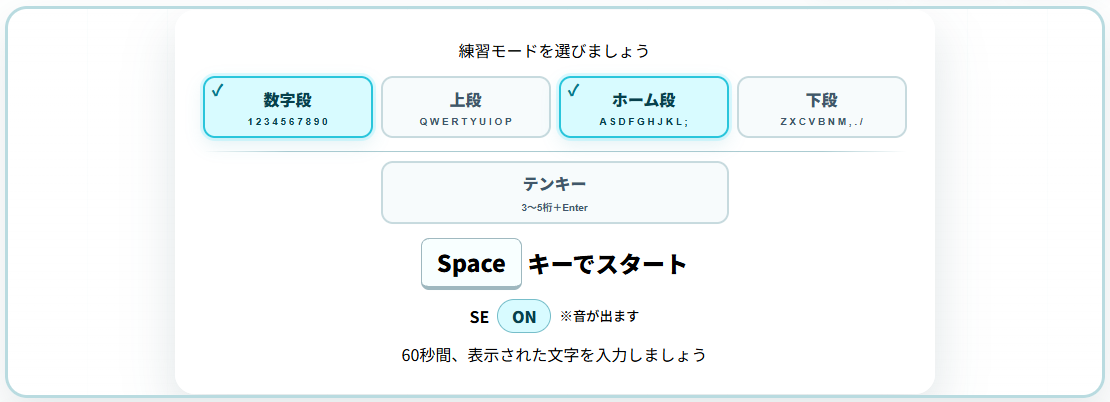
選択中のカードへチェックマークを付ける
これまでも選択中のカードは青い枠で表示していましたが、複数選択になると「どこが選ばれているか」をもっとはっきり見せたくなりました。
そこで、選択中のカードは青枠に加えて、左上へチェックマークを表示します。
.mode-option input:checked + span::before {
  content: "✓";
  position: absolute;
  top: 3px;
  left: 7px;
  color: #08798d;
  font-size: 1rem;
  line-height: 1;
}
カードを押すと青枠+チェック、もう一度押すと解除という見た目になりました。

最後の1段は解除できないようにする
複数選択にすると、全部の段を解除できてしまう可能性があります。
今回は「必ず何か1つは選ばれている」状態にしました。
if (selectedMode === "numpad") {
  selectedMode = "standard";
  selectedRows = new Set([input.value]);
} else if (input.checked) selectedRows.add(input.value);
else if (selectedRows.size > 1) selectedRows.delete(input.value);
else input.checked = true;selectedRows.sizeが1の場合は解除せず、チェックを戻します。
そのため、練習開始時に「段が選ばれていません」というエラー処理を追加しなくても、常に練習できる状態を維持できます。
1段目から3段目へ切り替えたい場合は、まず3段目を押して「1+3」にしてから、1段目を解除します。ワンクリックでは切り替わりませんが、複数選択の操作としては分かりやすい動きです。
テンキーは別モードのままにする
テンキーは数字を1文字ずつ出す通常タイピングとは違い、3~5桁の整数を入力して最後にEnterを押します。
指ガイドも右手専用なので、通常4段の複数選択には含めませんでした。
if (input.value === "numpad") {
  selectedMode = "numpad";
  selectedRows.clear();
  modeInputs.forEach((item) => (item.checked = item === input));
}
テンキーを選択した瞬間に、通常4段の選択を全部解除してテンキーだけを選択します。
逆にテンキー選択中に通常段を押すと、テンキーを解除して、押した通常段だけが選択されます。
通常段とテンキーの間に区切り線を入れる
テンキーは以前から4段の下へ少し離して配置していました。
今回は「通常4段とは別のモード」であることを、見た目でもさらに分かりやすくするため、間へ水平線を追加しました。
<div class="mode-divider" aria-hidden="true"></div>.mode-divider {
grid-column: 1/-1;
height: 1px;
margin: 5px 0 1px;
background: linear-gradient(
90deg,
transparent,
#aacbd1 12%,
#aacbd1 88%,
transparent
);
}【画像を挿入:通常4段とテンキーの間の区切り線】
選択した段のキーをまとめて出題候補にする
複数段を選択したら、その段に含まれるキーだけを出題候補へ入れます。
practiceKeys = isNumpad
  ? []
  : KEY_GUIDE.filter((item) => selectedRows.has(item.row)).map(
      (item) => item.key,
    );
たとえば上段+ホーム段を選んだ場合、上段とホーム段のキーを全部まとめ、その中からランダムに1文字を出題します。
段ごとの出題回数を均等にする特別な処理は入れていません。
これまでと同じランダム出題を、そのまま複数段へ広げた形です。
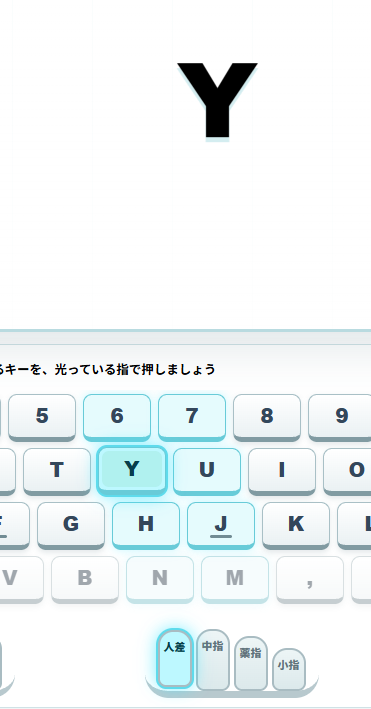
非選択段と指ガイドはこれまでどおり
複数段選択になっても、画面キーボードや指ガイドの基本的な見せ方は変えていません。
- 選択した段は通常表示
- 選択していない段は薄く表示
- 現在入力するキーを強く光らせる
- 担当する指を光らせる
- 同じ指が担当するキーを補助的に光らせる
複数段を選択したからといって、選択中の段に関係する指を全部光らせるわけではありません。
あくまで「今押す1文字」に対応するキーと指だけを案内します。
第5回で生まれた考え方を通常タイピングへ戻す
第5回のテンキーでは、Enterを押すと数字リールが約0.3秒かけて一段送られます。
ただし、そのアニメーションが終わるまで利用者を待たせず、内部ではすぐに次の問題へ切り替えて入力を受け付けるようにしました。
これが実際にかなり使いやすかったので、今回は通常タイピングへも同じ考え方を取り入れます。
テンキーで生まれた設計思想を、通常タイピング側へ逆輸入することになりました。
正解した文字を演出専用のコピーとして残す
通常タイピングでは、正解するとレーザーが文字へ飛び、文字が壊れる演出があります。
以前は、この演出が終わってから次の文字へ進む形でした。
今回は正解した文字を入力判定から外し、見た目だけを残す「演出専用のコピー」にします。
const key = getStandardKey(currentKey),
  oldKey = document.createElement("span");

oldKey.className = "effect-key";
oldKey.textContent = fallingKey.textContent;
oldKey.style.setProperty("--effect-x", `${keyX}px`);
oldKey.style.setProperty("--effect-y", `${keyY}px`);
oldKey.style.transform = `translate(var(--effect-x),var(--effect-y))`;
effectLayer.appendChild(oldKey);
コピーした文字へレーザー・火花・破壊音・消滅演出を行います。
この文字はもう入力対象ではないため、その間に次の問題を始めても判定が混ざりません。
正解した瞬間に次の文字を表示する
演出用コピーを作ったら、元の入力対象はすぐ次の文字へ切り替えます。
setTimeout(() => oldKey.remove(), 240);
setTimeout(() => key?.classList.remove("is-correct"), 100);

if (performance.now() >= finishTime) return finishPractice();

previousFrameTime = performance.now();
showNextStandardKey();showNextStandardKey()をすぐ呼び出しているため、レーザーや文字破壊の終了を待ちません。
見た目では前の文字が壊れている最中でも、次の文字はもう表示され、すぐ入力できます。
高速入力でも演出を止めない
入力が速い場合、前の文字が消える前にさらに次の文字へ進むことがあります。
今回の破壊文字は、それぞれ独立した要素としてeffect-layerへ追加されるため、複数の演出を短時間重ねることができます。
入力判定は常に現在のcurrentKeyだけを見るので、古い演出が残っていても次の入力には影響しません。
見た目の演出と入力判定を分けたことで、「速く打てるようになるほど演出が邪魔になる」という問題を避けられました。
ミスしたときの動きは変えない
正解時のテンポは大きく変えましたが、ミス時はこれまでどおりです。
- 間違えたキーを赤く光らせる
- キーを短く揺らす
- 低い失敗音を鳴らす
- 押したキーから暗い失敗レーザーを飛ばす
- 正しいキーを押すまで同じ問題を続ける
正解したときだけ次へ即進み、ミスしたときは正しいキーを探して押すという学習の流れは維持しています。
今回の完成形
これで、第6回の完成形になりました。
- 通常4段を好きな組み合わせで複数選択できる
- 選択中は青枠+チェックマークで分かる
- 最後の1段は解除できない
- テンキーは通常4段とは別モード
- 通常4段とテンキーを水平線で分けた
- 選択された段だけからランダム出題
- 非選択段と指ガイドの見せ方は従来どおり
- 正解後は演出を待たず次文字を即入力できる
- レーザーと文字破壊演出はそのまま残る
完成したタイピング練習を使ってみる
今回完成した第6回版は、下のリンクから別画面で開けます。
記事内の埋め込みは動作確認用です。しっかり練習するときは、別画面で開く方が文字やレーザーの位置を確認しやすくなります。
まとめ
今回は、数字段・上段・ホーム段・下段を複数選択できるようにし、通常タイピングの入力テンポも改善しました。
第5回でテンキーを作ったときに生まれた「演出は見せる。でも入力は待たせない」という考え方を、今回は通常タイピングへ戻して使っています。
こうして少しずつ作っていると、後から追加した機能の方が使いやすくて、それを前の機能へ戻して使うこともあります。
複数段を選べるようになったことで、次は単純な段別練習だけでなく、もう少しゲーム性のある練習にも発展できそうです。
次回は、この複数段出題を土台にして、チャレンジモードを作っていく予定です。